Available on Android
Your time
back.
TimerX slows down the apps you can't stop opening — so the rest of your day has room to breathe.
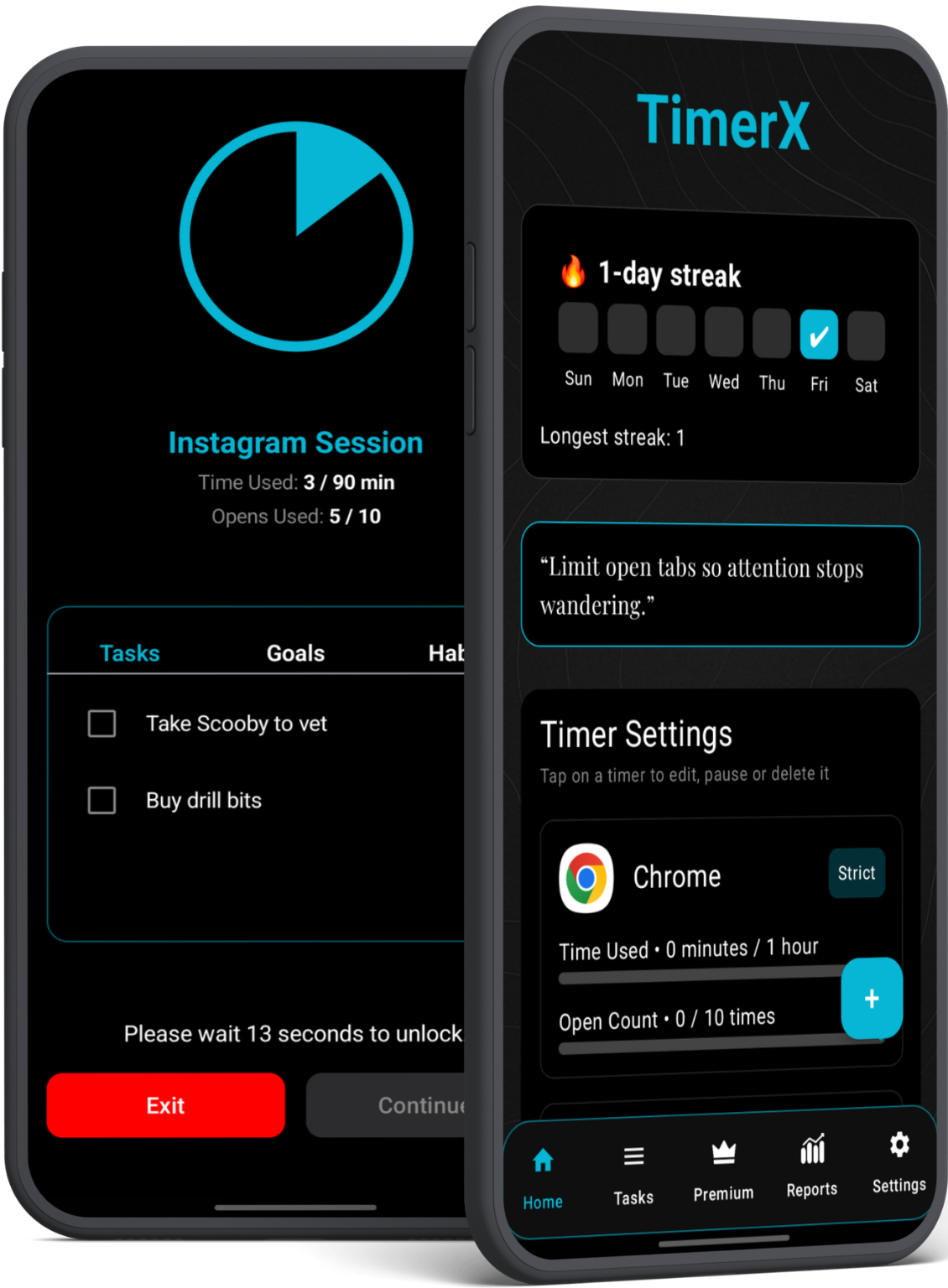
What it does
Built differently
Most screen-time apps just lock you out. TimerX makes you think.
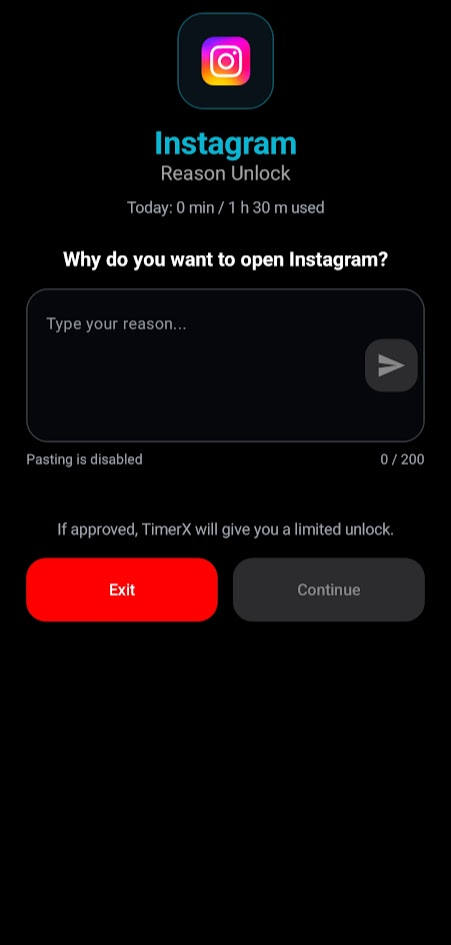
Ask AI Reason Unlock
When your timer runs out, TimerX asks why you want to open the app. A good reason earns you more time. No good reason? You get a nudge to close it.
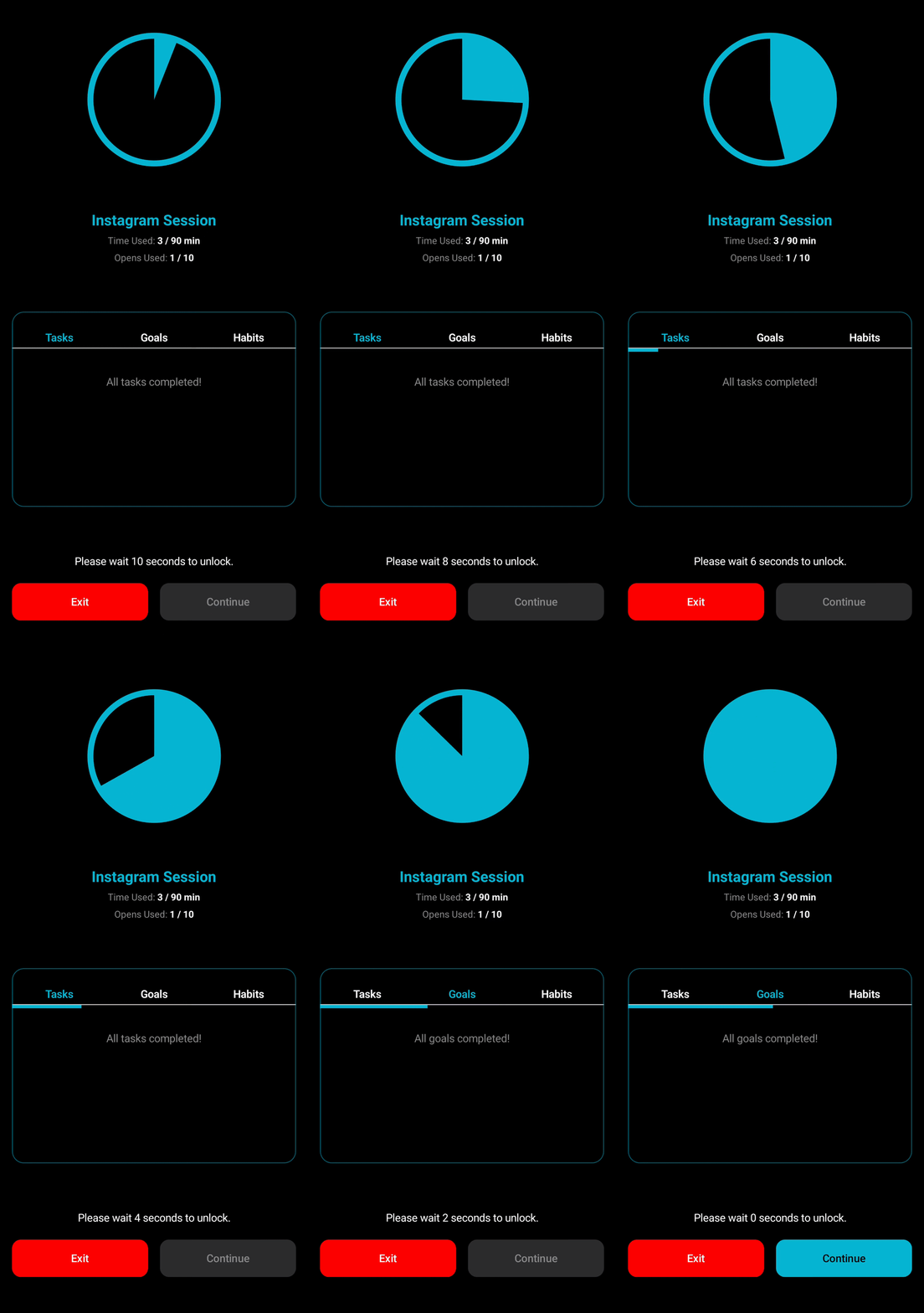
Pre-open Wait Screen
Before a monitored app launches, a brief pause gives your brain a moment to reconsider. 5 seconds can break a habit loop.
Usage Analytics
See daily and weekly breakdowns of every app you track. Spot patterns, measure improvement, stay honest with yourself.
Privacy First
Everything stays on your phone. We use Accessibility Service only to show overlays — we never read screen content or personal data.
Three steps
Simple to start
Pick your apps
Choose the apps you want to limit — social media, games, anything.
Set your limits
Define daily time budgets and optional wait screens per app.
TimerX does the rest
When limits are hit, the app pauses, asks your reason, and you decide.
About the Accessibility permission
TimerX needs Android's Accessibility Service to detect when you open a monitored app and show overlays at the right moment. It's the only way to do this without root access.
- ✕We don't read your screen content, passwords, or personal data
- ✕We don't collect or sell personal information
- ✓We collect anonymous crash reports and feature usage to fix bugs
- ✓All your app data and timers stay on your device
Ready to take it back?
Free to download. No account required. Works on Android 8 and up.